 NorthPanemacOS · Apple silicon & Intel
A file manager
with an editor and AI.
Two panes for your files, a built-in editor and binary analysis. Version 1.3 adds local AI with references to source text and instructions.
A short app preview
A 30-second video of real screens from version 1.3. With captions and no audio.
AI for source code and binaries
Select code or instructions and ask a question. The answer appears beside your selection with references to the material it used.
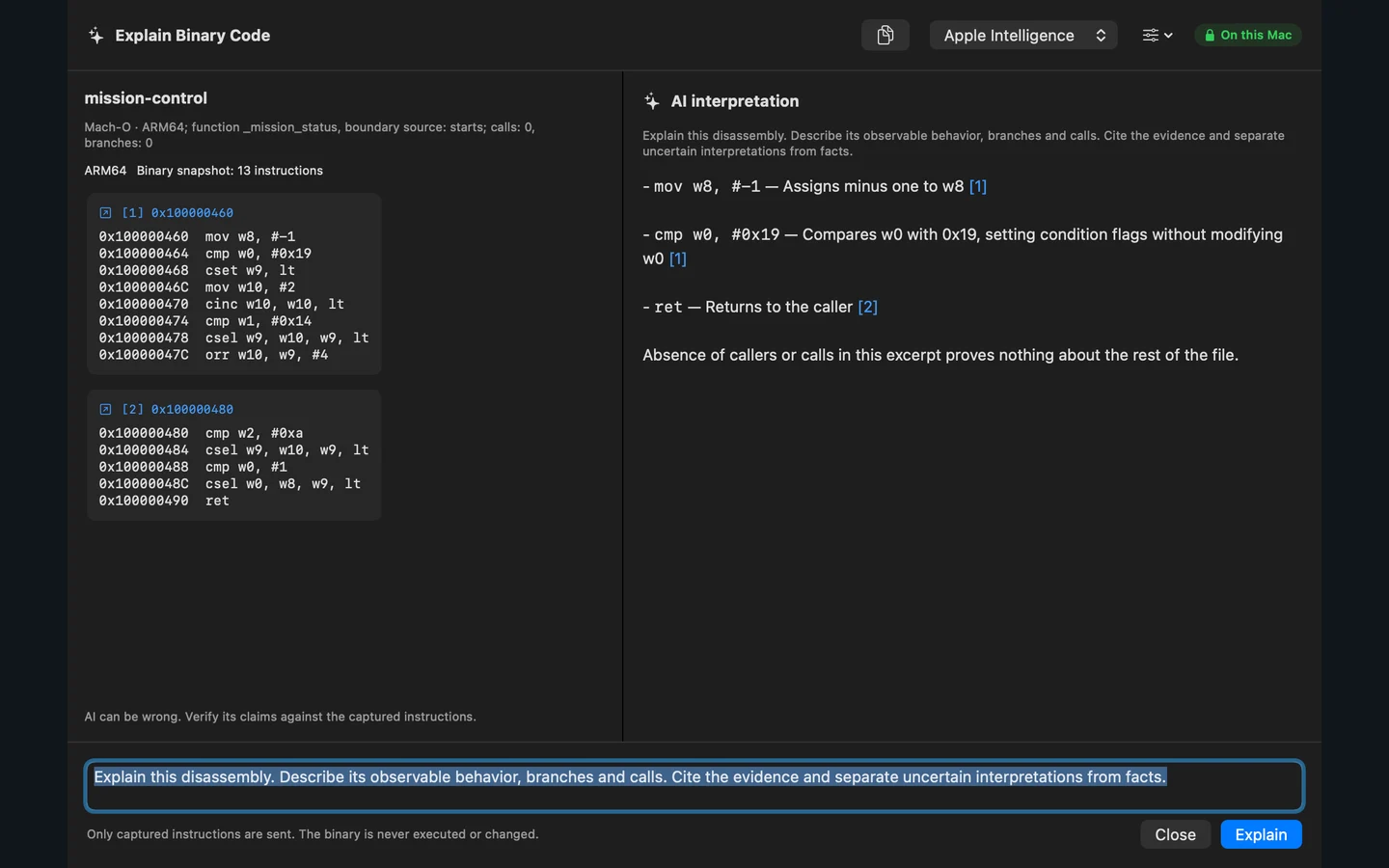
Understand binary instructions
Explain a captured disassembly excerpt. Follow linked references to the instructions behind an observation, then return to their location in Binary Lab.
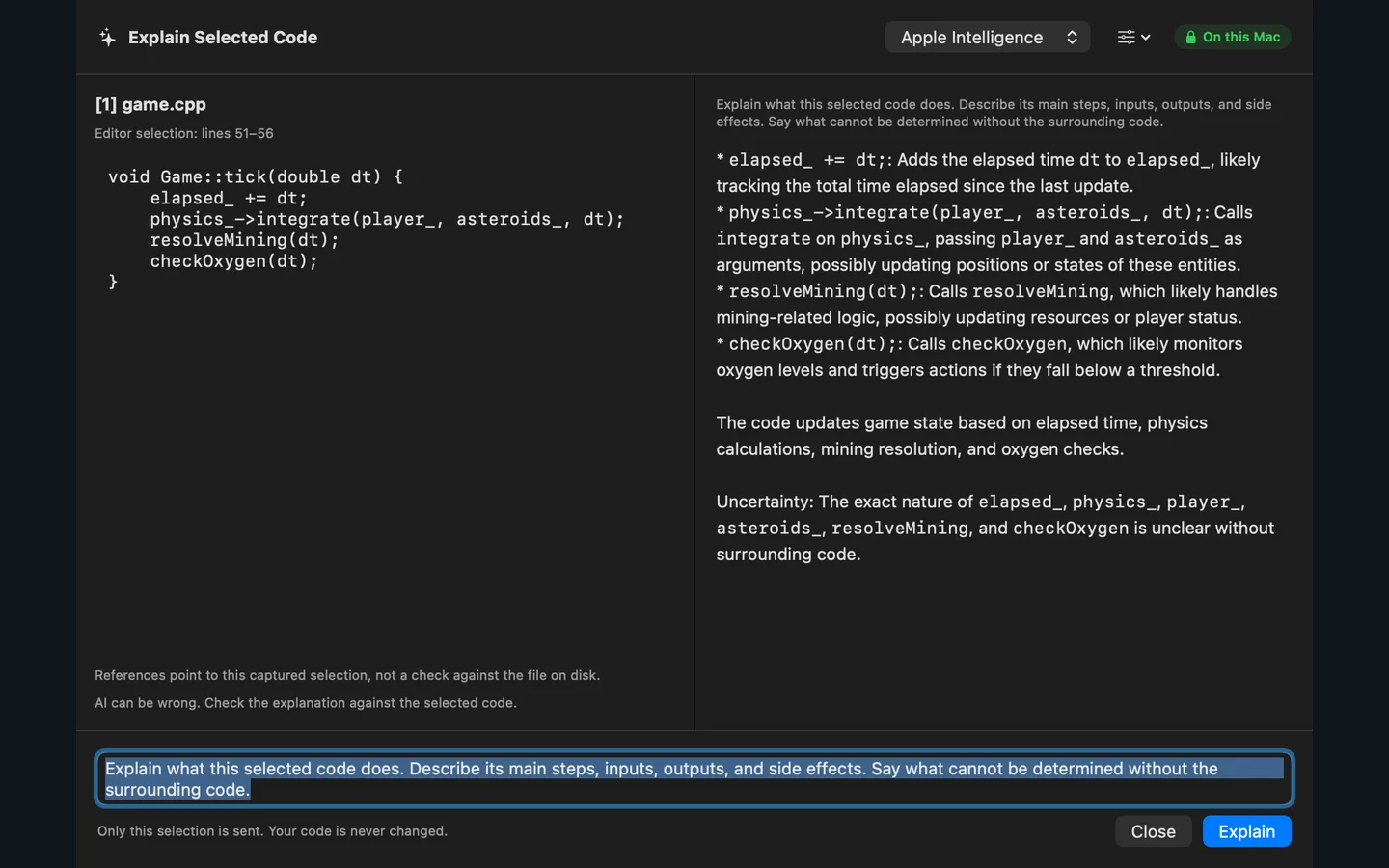
Ask about source code
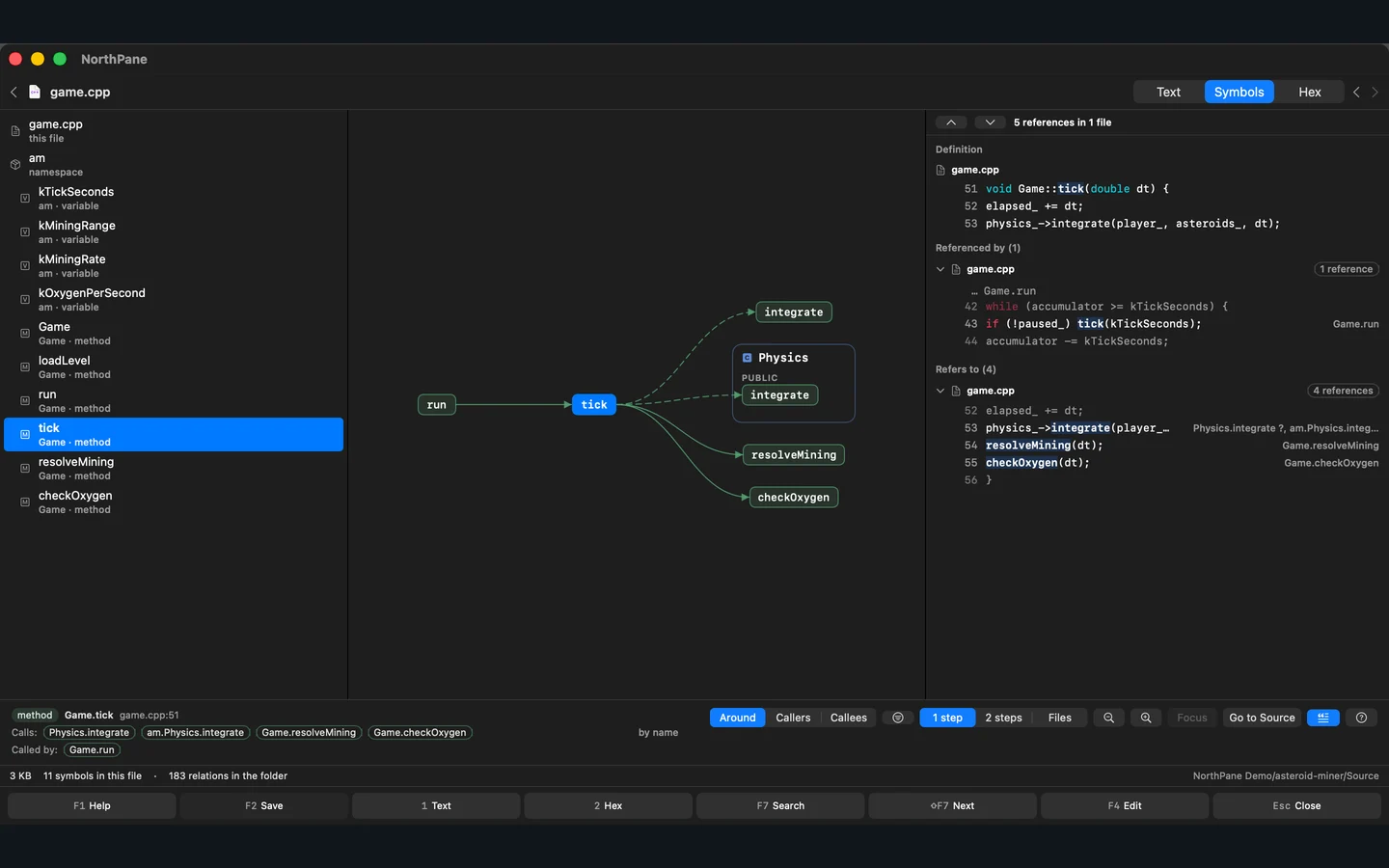
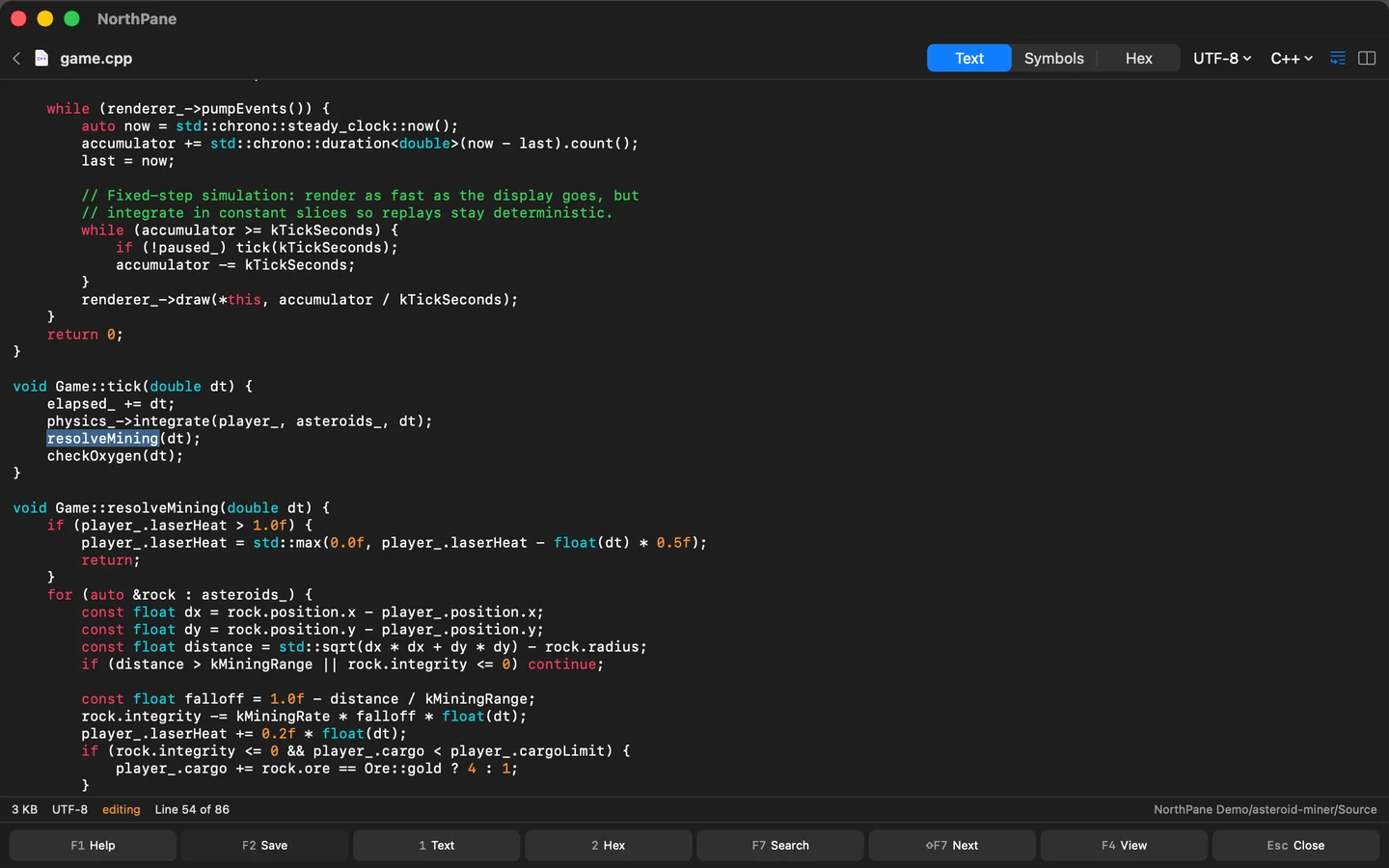
Select a function and ask what it does. Keep the explanation tied to the source, then explore symbols, callers and references in a code map.
Keep inference local
Use Apple Intelligence on supported devices, an imported GGUF model or a compatible local server. Choose the runtime and model in the explanation dialog.
AI interpretations can be wrong. References help you inspect the supporting instructions; they do not prove the interpretation. Binary analysis never runs the file.
Viewing and analyzing binary files
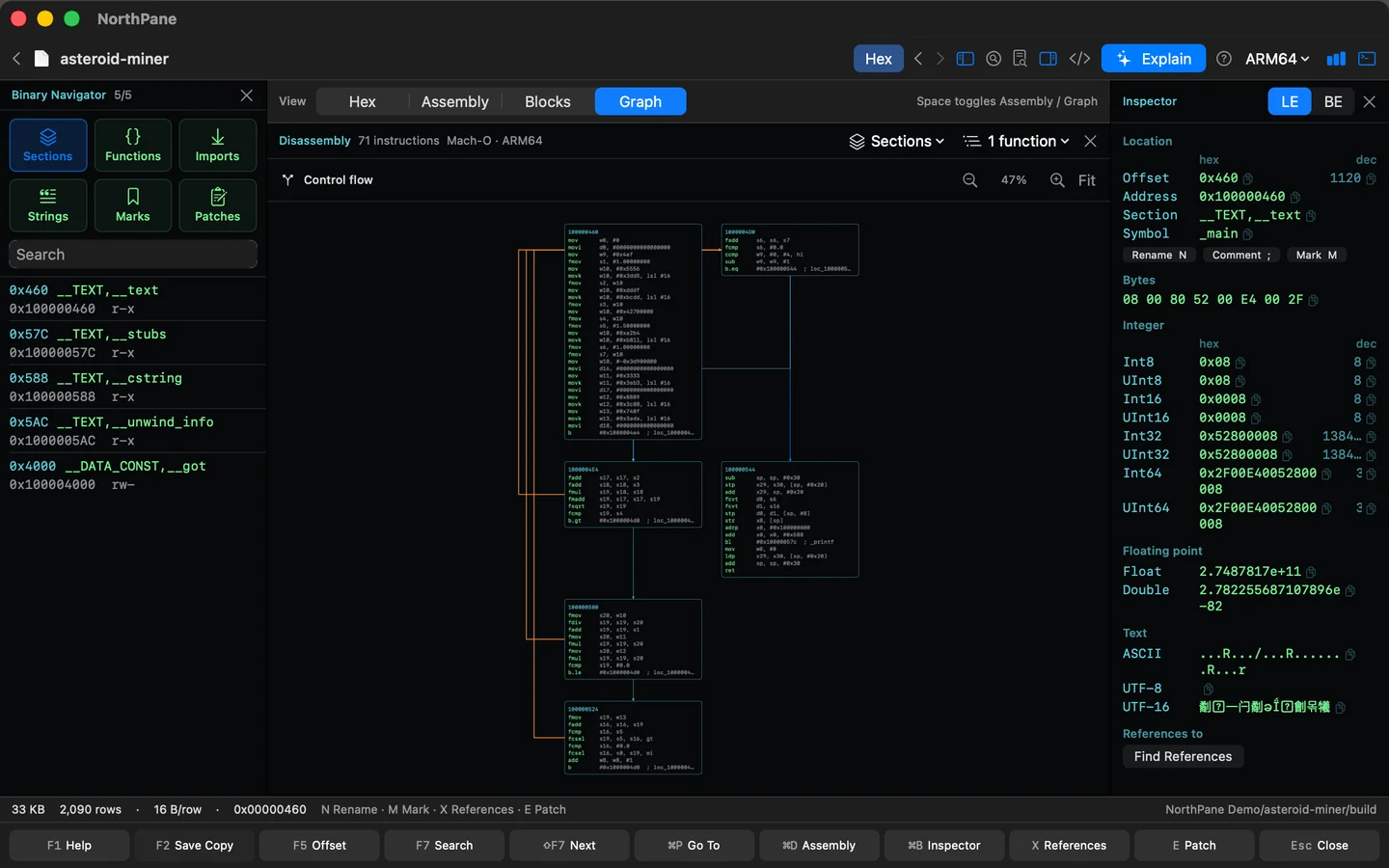
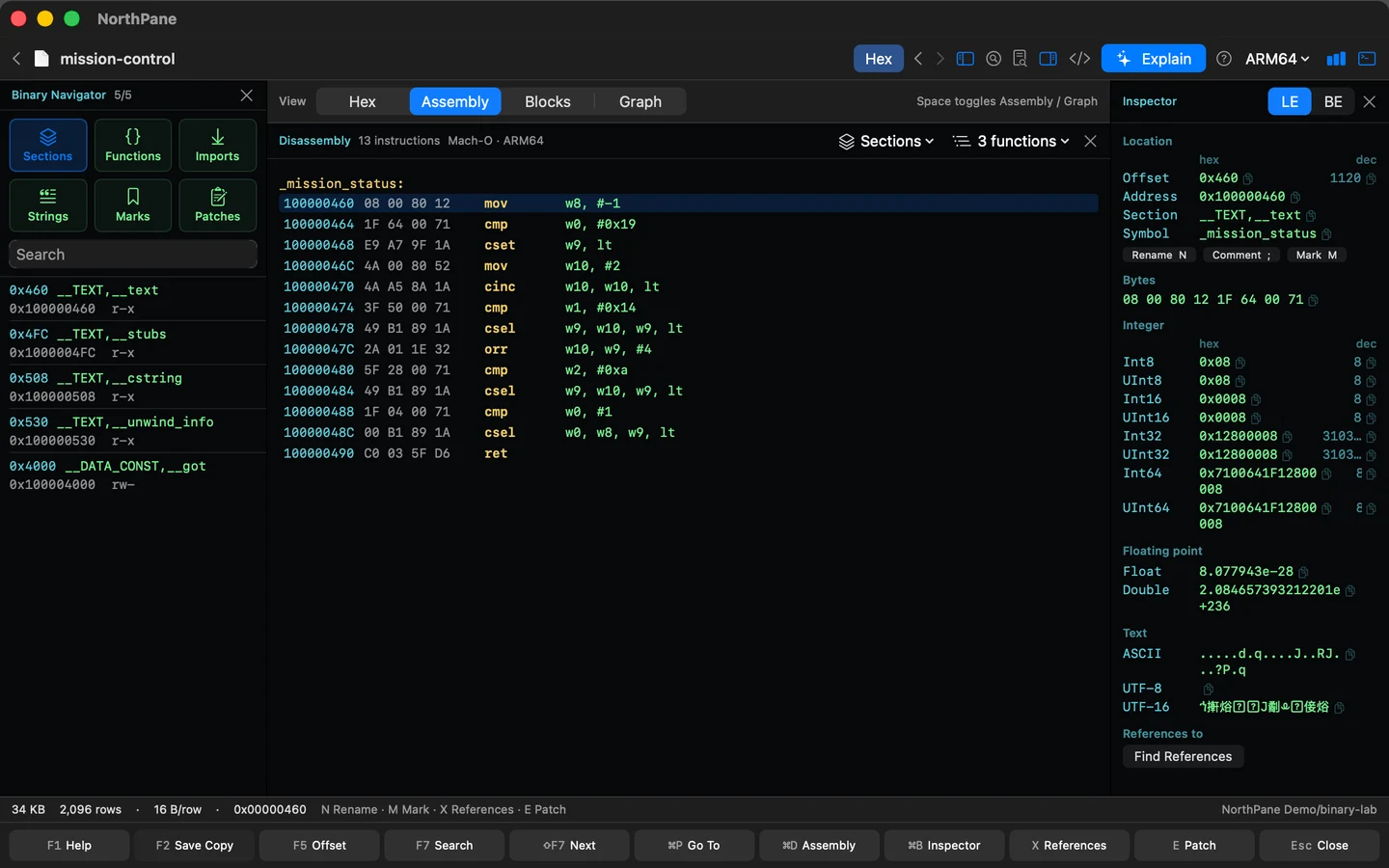
Inspect bytes, symbols and instructions together. Follow control flow, jump between functions, and keep your place in the file.
Functions, symbols and bytes
Functions, imports, sections, strings and bookmarks in one navigator. Hex, disassembly and a typed inspector side by side.
See the control flow
Connect the instructions through basic blocks and branches. In 1.3, fit the graph to the window or zoom in for a closer look.
Headers, compression and byte edits
Inspect Mach-O, ELF and PE headers, explore entropy and compressed streams, or preview byte patches and save a separate copy.
A guide to binary analysis
Use the built-in ARM64 sample to try an AI explanation of instructions and check the answer through its references.
Open the sample
Choose AI → Binary AI walkthrough. NorthPane opens its own small sample and shows the instructions.
Ask for an explanation
Choose a local model and select Explain with AI. Read the answer alongside the captured instructions.
Check the evidence
Follow a numbered reference, then the instruction address. The walkthrough completes after you return to the verified bytes.
File questions and note maps
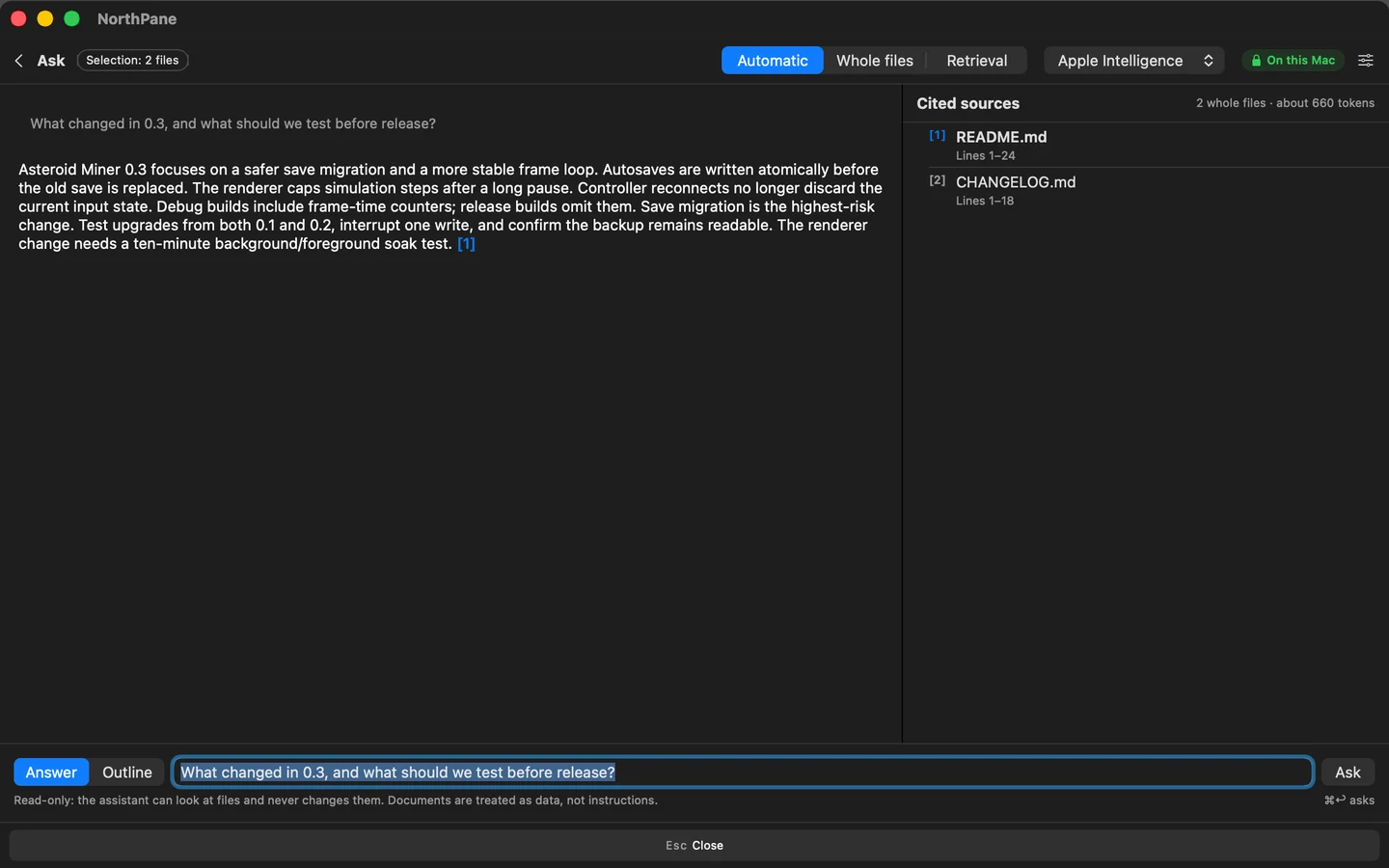
Ask about the contents of selected files or a folder. You can also browse notes in a map showing the links between them.
Answers with checked citations
Ask stays within your selection. Citations open on the original lines and are checked against the current file. The assistant never changes files by itself; a cited outline is saved as Markdown only after your approval.
Search by words and meaning
Search inside files, or add a local embedding model to search by meaning. Explore symbols, references, callers and callees in the code map and Find Files.
Note maps and JSON Canvas
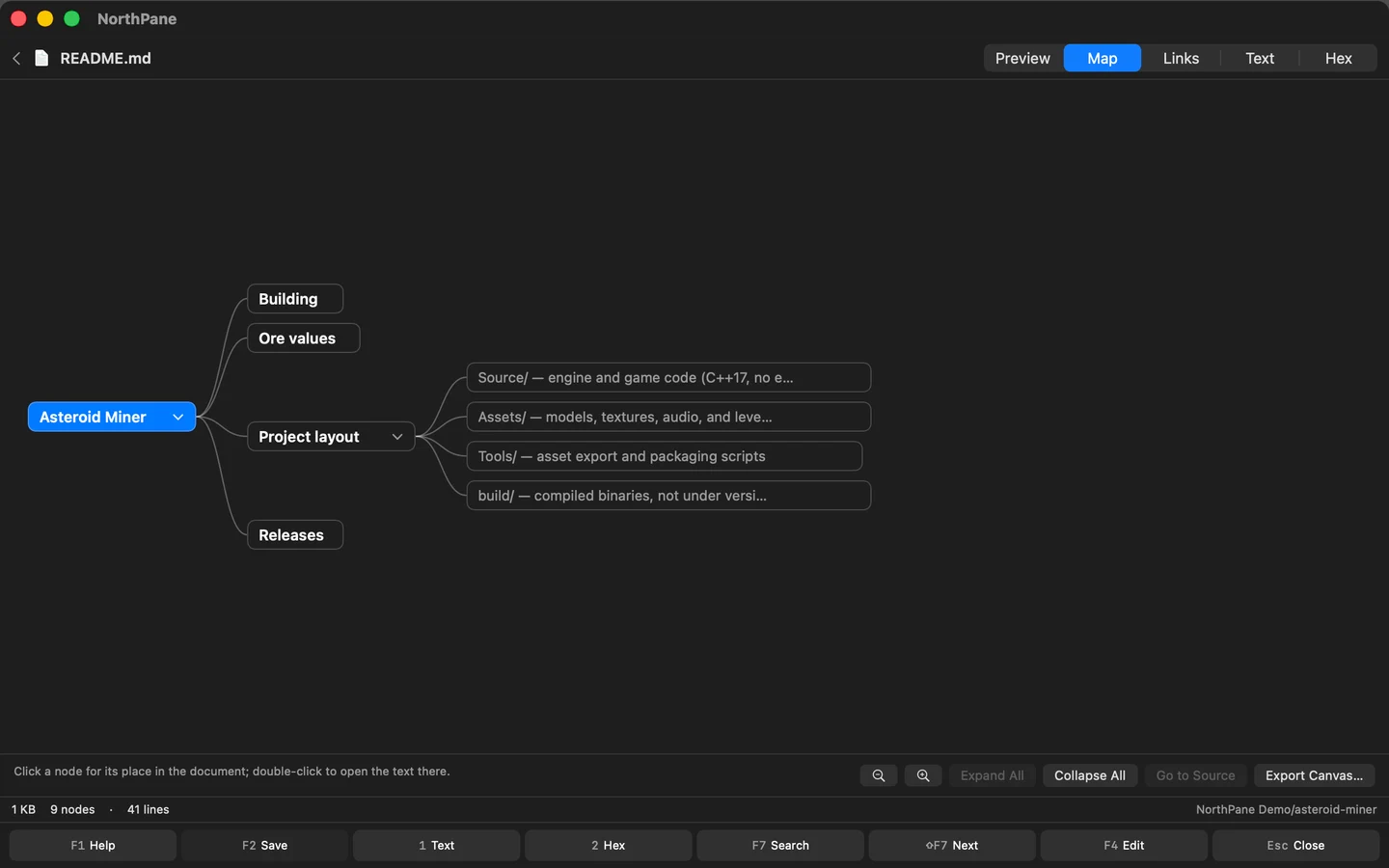
Markdown gains Map and Links views. Renaming or moving notes offers a preview of link repairs. Export either map to JSON Canvas and edit Canvas files directly in the app.
Archives and passwords
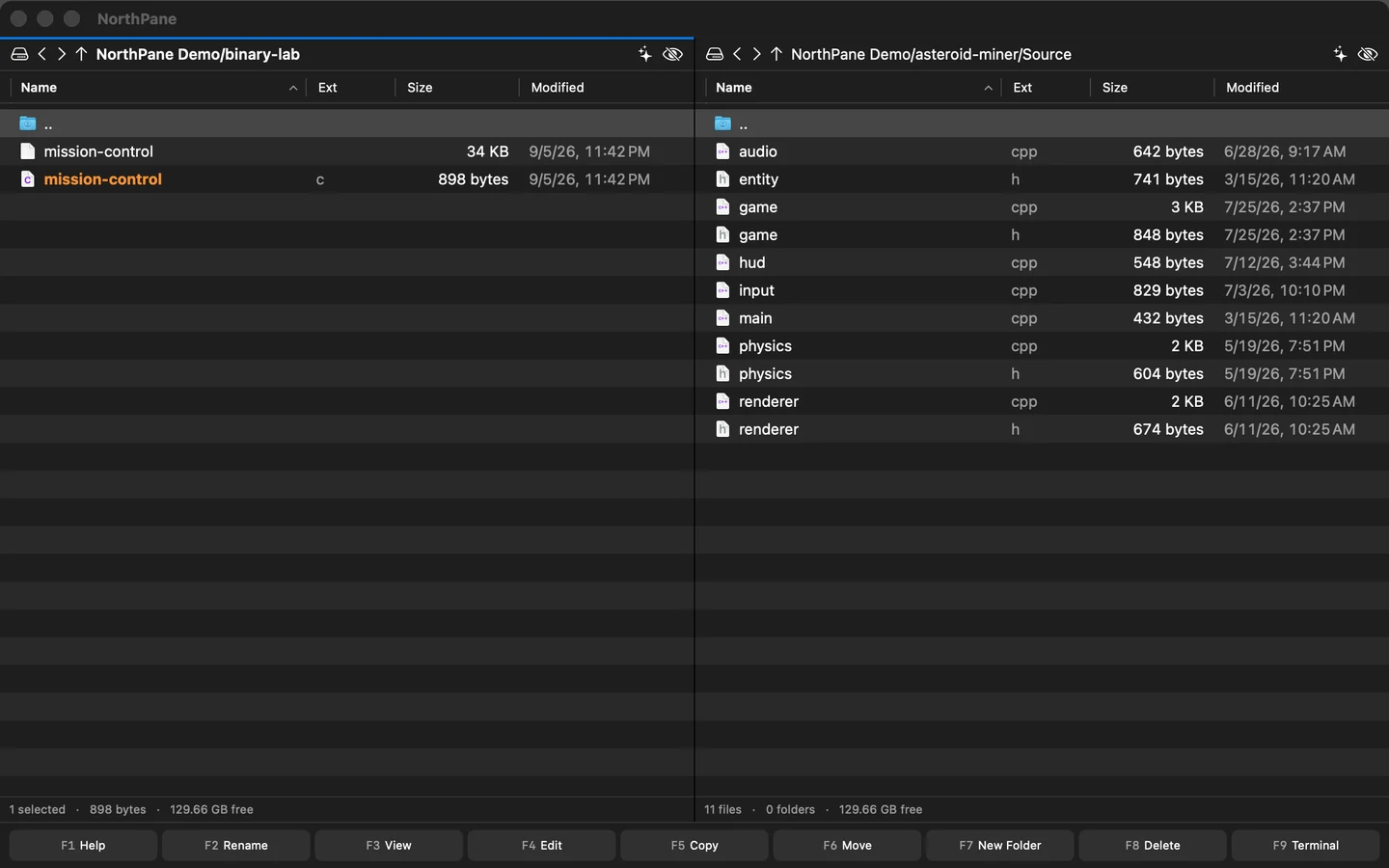
Work with archives in your panes: browse their contents, copy files out or create a new archive.
7z, RAR and ARJ as folders
Browse 7z, RAR and ARJ alongside ZIP and TAR. Copy files out or extract the archive separately. RAR and ARJ support reading and extraction.
Four formats when packing
⌥F5 offers ZIP, 7z, TAR and TAR.GZ. ZIP is always the default. For ZIP and 7z, you can enter and confirm a password.
Unlock when opening or extracting
ZIP and 7z support AES-256; 7z also protects file names. Supported encrypted archives prompt for a password, with another attempt after a typo. Passwords are not saved.
Tabs, editor and templates
Restoring tabs
Relaunch restores local tabs, folders, the cursor and the active pane. SFTP, FTP and FTPS stay directly in your panes.
CPP and header side by side
Each editor keeps its own cursor position and save state. Save just the changed file or both files in the pair.
Templates and Writing Tools
Start a document, code file or project from a built-in or personal template. Writing Tools are available for notes and prose.
Enter to explore an app
Press Enter on an .app bundle to browse its contents. Launch it from the context menu. Native macOS, Apple silicon and Intel, with no account needed.
Screenshots
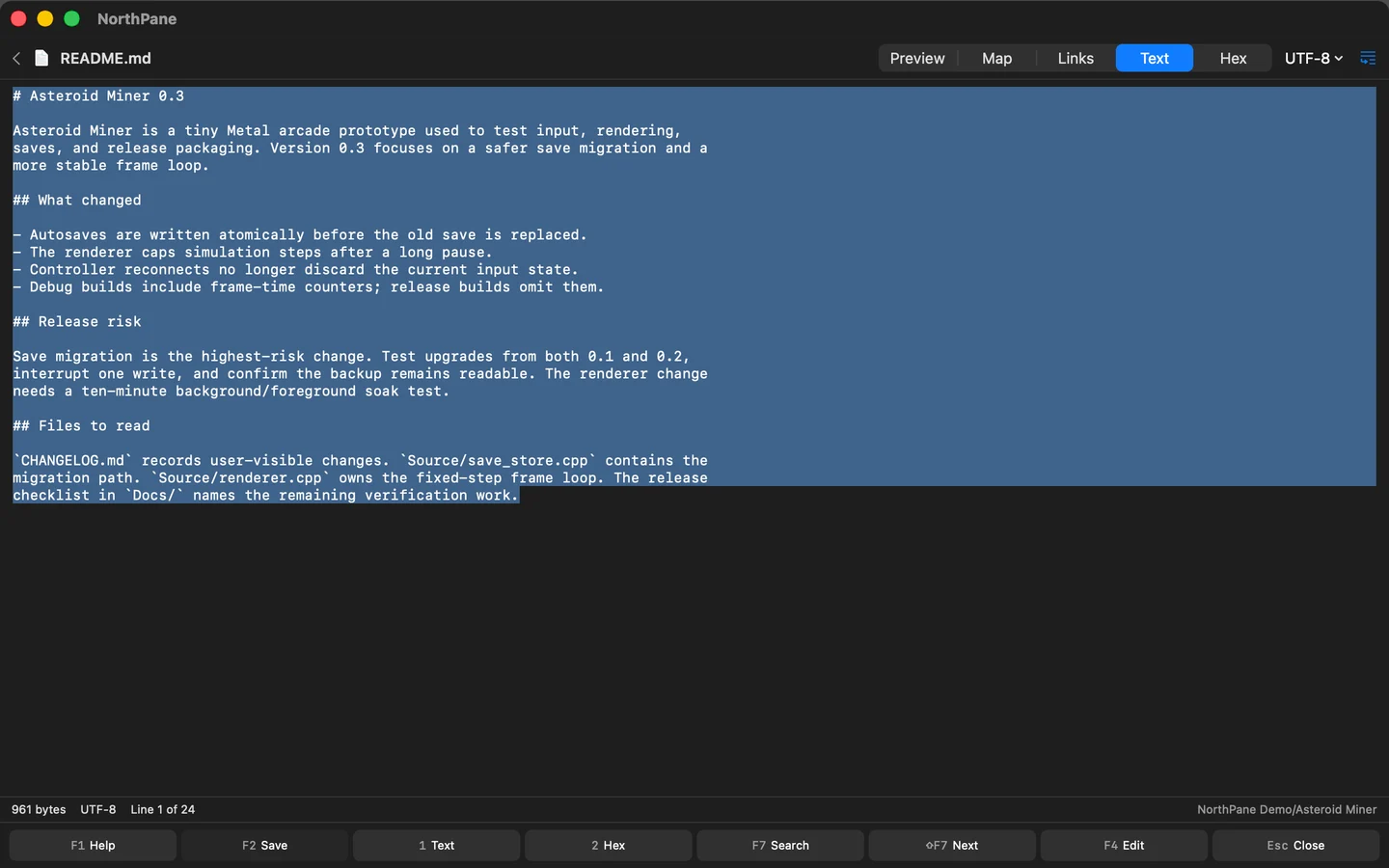
Real screens from version 1.3. Select an image to enlarge it.
Common questions
What is available today?
NorthPane 1.3 is on the Mac App Store and holds everything this page shows: local AI, code and note maps, the guided binary walkthrough, more archive formats and password protection.
What does local AI need?
NorthPane runs on macOS 14 or later. Apple Intelligence needs a compatible Mac and system configuration; other local runtimes depend on the model and available memory. The app shows availability and language limitations before generation.
Does the AI understand the whole executable?
Binary explanations work on a bounded disassembly snapshot, up to 32 instructions. They are an aid to analysis, not a decompiler or a guarantee of what the whole program does. Captured code is read, never executed.
Are Czech and English supported?
The website and new binary AI interface are available in both languages. Model language support is separate: the system model used for these Czech screenshots answered in English, and the app reports that limitation.
Can every archive app open a password-protected ZIP?
AES-256 ZIP requires a compatible archive app and leaves file names visible. Encrypted 7z also protects file names. Split multi-volume archives are not supported.
Download and support
Get NorthPane 1.3 on the Mac App Store, read the privacy policy, or contact me with a question about NorthPane.
